
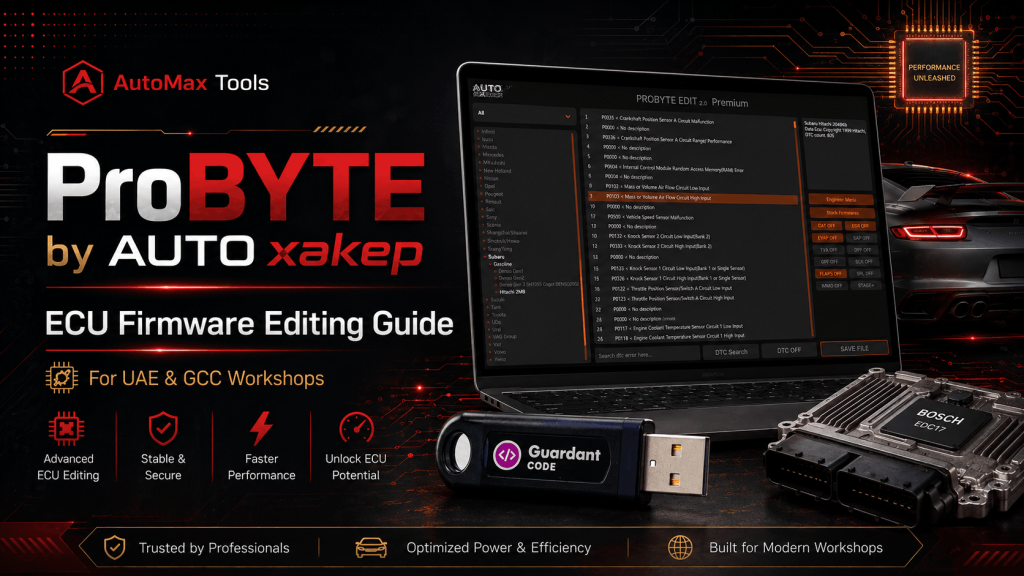
ProBYTE Dubai UAE – ECU Firmware Editing Software Guide 2026
ProBYTE by AUTO xakep
ECU Firmware Editing
Guide for UAE
A practical workshop guide to ProBYTE: what it does, which ECU functions it supports, how the workflow works, and which modules matter for UAE and GCC tuning businesses.
If your workshop handles ECU files, diesel emission faults, DTC removal, or custom tuning support, ProBYTE by AUTO xakep is one of the important ECU firmware editing tools to understand. Unlike a normal ECU flasher, ProBYTE is focused on editing the firmware file after it has been read from the ECU using a compatible reading/writing tool.
This guide is written for workshops in Dubai, Sharjah, Abu Dhabi, Saudi Arabia, Kuwait, Qatar, Bahrain, Oman, and the wider GCC market. It explains what ProBYTE does, which functions it supports, the difference between Basic, Full, Stage+, and add-on modules, and how AutoMax Tools can help you choose the right setup.
1. What is ProBYTE by AUTO xakep?
ProBYTE is an ECU firmware editor from AUTO xakep / AUTOxakep. It is designed to disable or modify selected ECU-controlled functions inside a firmware file. AUTOxakep describes its technology as solutions for ECU diagnostics, modification, optimization, DTC analysis, and management of systems such as EGR, DPF, SCR, NOx, CAT, EVAP, SAP, FLAPS, and IMMO OFF.
For a UAE workshop, the most important point is simple: ProBYTE does not replace your ECU reading/writing tool. You still need a separate programmer or flasher to read the original file and write the corrected file back to the ECU. ProBYTE is used in the middle of the workflow to process the file.
Use ProBYTE as the file editing solution together with a professional ECU read/write workflow. For workshops already using tools like BitBox, PCMflash, KESS3, FLEX, AutoTuner, or bench tools, ProBYTE can become the software layer for DPF, EGR, SCR/AdBlue, DTC, CAT, EVAP, and related file operations.
2. Supported ECU Functions
ProBYTE is designed for file-based work on supported ECU firmware. The official product listing highlights support for the following systems:
File solutions for supported diesel ECUs where particulate filter-related logic needs to be disabled or corrected.
Useful for supported ECUs with repeated exhaust gas recirculation faults or off-road/export vehicle requirements.
Supports selected SCR and AdBlue-related file operations depending on ECU type and module availability.
Used to identify, erase, or manage selected diagnostic trouble code logic in supported firmware files.
Petrol ECU support includes selected catalyst, evaporative system, secondary air, and related ecology functions.
Selected modules and premium options support IMMO OFF for specific ECU families such as Toyota and Kia/Hyundai modules.
3. How ProBYTE Works – Step by Step
The correct ProBYTE workflow is file-based. The software helps process a firmware file; it does not remove the need for safe ECU reading, backup, checksum strategy, and controlled writing.
Before any file job, confirm the vehicle model, ECU manufacturer, ECU type, firmware size, and software number. This avoids selecting the wrong module.
Insert the ProBYTE dongle, ensure internet is available, open the software, and load the firmware file into the correct supported module.
Choose the operation needed for the job, such as DPF, EGR, SCR, AdBlue, DTC, CAT, EVAP, FLAPS, NOx, or IMMO OFF where supported.
Save the processed file, compare file versions, review logs, and confirm the result before writing. Do not overwrite the original file.
Write the edited file using your ECU tool, run a full diagnostic scan, test live data, confirm no new faults, and road-test only where safe and legal.
4. ProBYTE Versions & Options
ProBYTE can be purchased in different levels depending on how much coverage your workshop needs. Fixed public amounts have been removed from this page. For package availability, module selection, and current quotation, for inquiries contact us.
| Option | Best For | Important Note | Inquiry |
|---|---|---|---|
| ProBYTE Basic | Entry-level file editing and module-based jobs | Dongle-based; internet required; no daily limit listed | For inquiries contact us |
| ProBYTE EDIT Full | Workshops that want all ecology and DTC modules | Includes modules for disabling DTC and environmental functions such as EGR, DPF, SCR, flaps, NOx and EVAP; no subscription required for the Full version | For inquiries contact us |
| ProBYTE EDIT Full + STAGE+ | Advanced tuning shops needing Full plus Stage+ capability | Includes 1-year Stage+ subscription; Full remains active if Stage+ is not renewed, but Stage+ module access stops | For inquiries contact us |
| Premium Tuning Annual Subscription | Owners of ProBYTE Full who need Stage+ tuning functions | Annual renewal for Premium STAGE+ support; ecology off remains separate | For inquiries contact us |
| Firmware Files Database | Shops that need quick access to original firmware files | Original firmware files can be downloaded directly from inside the program; no subscription listed | For inquiries contact us |
| Engineering Module | Advanced users creating their own ECU methods/modules | For independently creating modules for errors, EGR, DPF, SCR and other systems | For inquiries contact us |
| Toyota Premium Module | Toyota-heavy GCC tuning workshops | Supports Toyota Gen2/Gen3/Gen4 premium Stage/Ecology/IMMO/DTC functions depending on file type | For inquiries contact us |
5. Supported Brands & Module Examples for UAE/GCC
ProBYTE coverage is module-based. Below are practical examples from the public module list that are most relevant for GCC passenger cars, light commercial vehicles, trucks, and heavy equipment.
Toyota Diesel Bosch EDC17CP07
Toyota Gen2 CAN
Toyota Denso Gen1 Gasoline
Toyota Premium Module for Gen2/Gen3/Gen4 Stage, ecology, IMMO and DTC support Strong match for Land Cruiser, Prado, Lexus, Hilux and GCC Toyota-heavy workshops — verify ECU file before sale.
Delphi DCM 3.7
SIM2K-140 / 24x / 25x / 26x / 341
Bosch ME17.9.x / M7.9.x
Denso diesel Sh72543 / Sh72546 options Useful for Hyundai, Kia and Genesis vehicles common in UAE service centers.
Nissan Gasoline Hitachi 4Mb
Nissan Hitachi Gen1 / Gen2
Nissan Diesel Denso 1024 kb / 1536 kb
Nissan SID 309 Relevant for Patrol, Infiniti and Nissan fleets; exact support depends on ECU type.
Bosch MEVD17.2.9 / MEVD17.2.G / MG1CS201 / MG1CS221
Diesel EDC17C50 / EDC17CP09 / EDC17C41
MD1CP002 and EDC16 options Suitable for workshops receiving BMW petrol/diesel firmware files for ecology/DTC operations.
Bosch ME9.7 / ME17.7.x / ME2.0
Diesel EDC17CP10 / EDC17CP46 / EDC17CP57
Truck MCM21, MR PLD, ACM 2.1 options Good coverage area for Mercedes passenger cars and commercial vehicles.
Delphi DCM6.2AP
Bosch ME7.1.1 / MED9.1 / MED17.5.x
MG1CS001 / MG1CS002 / MG1CS011 / MG1CS111 Useful for Golf GTI/R, Audi, VW, Skoda and fleet vehicles in GCC.
Mitsubishi Denso diesel and MELCO gasoline modules
Subaru Denso Gen1 / Gen2 and Hitachi modules Relevant for Japanese vehicle tuning, repair and file service requests.
Ford EMS2204, SIM29, MD1CS089
Jeep EDC17C79 and GPEC4 petrol
Dodge EDC17C79; Chrysler NGC4 and GPEC2 Practical for American vehicles, SUVs and pickup segments in the UAE market.
Sinotruk/HOWO, Shacman/Shaanxi, FAW, JAC
John Deere, Deutz, Doosan, Kobelco, Agro modules
SCR, DPF, EGR and DTC-focused options Strong fit for commercial fleet and heavy-duty diesel workshops.
| Brand / Group | Example Modules | Functions Mentioned | Inquiry |
|---|---|---|---|
| Toyota / Lexus | IMMO OFF Gen1-4, EDC17CP07, Gen2 CAN, Denso Gen1 Gasoline | IMMO, EGR, DPF, CAT, EVAP, SAP, DTC | For inquiries contact us |
| Kia / Hyundai | EDC17CP14, EDC17CP62, DCM 3.7, SIM2K, ME17.9.x, Denso diesel | EGR, DPF, SCR, DTC, IMMO, CAT, EVAP | For inquiries contact us |
| Nissan / Infiniti | EDC17C45, Hitachi Gen1/Gen2, Denso diesel, SID 309 | EGR, DPF, DTC, CAT, EVAP | For inquiries contact us |
| BMW | MSD/MSV, MEVD17, MG1CS, EDC17, MD1CP002 | CAT, EVAP, EGR, DTC, DPF, SCR, FLAPS | For inquiries contact us |
| Mercedes-Benz | SIM266, ME9.7, ME17.7.x, EDC17CP10/46/57, MCM21 | CAT, EGR, DTC, EGR, SCR, DPF | For inquiries contact us |
| VAG Group | EDC17CP20/44, DCM6.2AP, ME7.1.1, MED9.1, MG1CS | EGR, DPF, SCR, CAT, EVAP, FLAPS, DTC | For inquiries contact us |
| Heavy Diesel | MAN, Volvo, Scania, Isuzu, Hino, Sinotruk, Shacman, Fuso | SCR, DPF, EGR, DTC, FLAPS | For inquiries contact us |
6. Required Setup for Workshops
To use ProBYTE professionally, your workshop needs a safe ECU file workflow. The software itself is only one part of the job.
| Requirement | Why It Matters | Recommended Practice |
|---|---|---|
| Original ECU File | ProBYTE edits the file; it does not remove the need to read the ECU first. | Always save original, modified, and final tested versions separately. |
| ECU Reader/Writer | You need a flasher/programmer to read and write ECU data. | Use professional tools and correct connection method: OBD, bench, boot or service mode. |
| Correct Module | Each ECU family has specific logic and file structure. | Match by ECU type, file size, processor, and software ID before processing. |
| Stable Internet | ProBYTE is listed as requiring an internet connection. | Avoid processing customer files on unstable workshop Wi-Fi. |
| Diagnostics Scanner | Post-write validation is mandatory. | Read/clear DTCs, monitor live data, confirm readiness and related system behavior. |
| Technical Support Path | Complex ECUs may require developer support. | Keep ECU label, file, software ID, error screenshots and tool logs ready. |
7. Frequently Asked Questions
8. Buy ProBYTE in Dubai & UAE
AutoMax Tools can help UAE and GCC workshops choose the correct ProBYTE package based on the vehicle brands, ECU families, and file jobs they handle. For serious workshops, the best buying decision is choosing the package that matches your daily work and support requirements. For inquiries contact us.
Contact AutoMax Tools for ProBYTE availability, package guidance, module selection, and ECU file editing workflow support in UAE and GCC.


No Comments