
How to Replace Tesla eSIM with a Physical SIM Card Using LOKI ?
Replacing Tesla eSIM with a Physical SIM Card Using LOKI
A practical guide for EV workshops dealing with cellular connectivity problems in imported Tesla vehicles across the UAE and GCC.
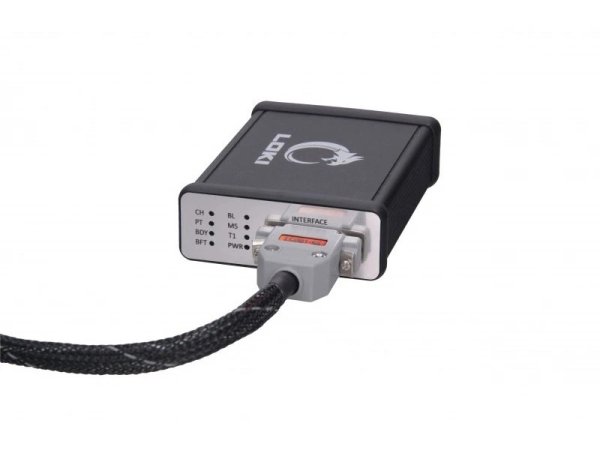
Internet access is an important part of the Tesla ownership and repair experience. The vehicle uses an online connection for software-related services, navigation data, certificates and other connected functions.
Problems often appear when a Tesla is imported from its original market into another country. The built-in eSIM may remain linked to the original region or network arrangement, leaving the new owner with weak cellular service, roaming restrictions or no reliable mobile connection.
For a professional workshop, converting the vehicle to use a local physical SIM card can provide a more practical solution. LOKI allows the technician to change the SIM priority through the vehicle’s electronic configuration rather than relying on a difficult modification of the internal eSIM circuit.

Why does a Tesla need a stable internet connection?
Tesla vehicles operate more like connected digital platforms than traditional cars. Many vehicle services depend on a reliable connection between the car, online services and the user account.
Software services
Connected access supports software-related services and vehicle communication.
Navigation data
Online connectivity assists with navigation information and map-related functions.
Certificates and accounts
The vehicle may depend on valid certificates, accounts and regional online access.
Workshop procedures
Some diagnostic, configuration and update procedures require network access.
SIM, eSIM and Tesla cellular connection
Tesla vehicles can connect through Wi-Fi or a cellular network. Wi-Fi is useful in a workshop, home or hotspot environment, but it is not always available while the vehicle is being driven.
For normal mobile connectivity, the vehicle relies on an LTE modem located on the MCU board. Many vehicles use an embedded SIM configured for the country or market in which the car was originally sold.
Earlier Model S and Model X vehicles
Tesla Model S and Model X vehicles using the earlier Tegra processor, generally produced before 2018, may already include a slot for a physical SIM card. The exact hardware should still be checked before work begins.
Why imported Tesla vehicles may lose cellular connectivity
A Tesla imported into the UAE or another GCC market may still carry the communication setup of its original country. Depending on the vehicle and network, the owner may experience one or more of the following:
Why modifying the internal eSIM circuit is not the preferred approach
One possible repair method is to work directly on the modem board and solder a SIM card or SIM connection into the internal eSIM circuit. This is a delicate procedure because the components are small and located in a crowded section of the board.
A mistake can damage the LTE modem and create a more expensive repair. It also leaves the owner with a fixed solution that is difficult to change later if the network provider or tariff needs to be replaced.
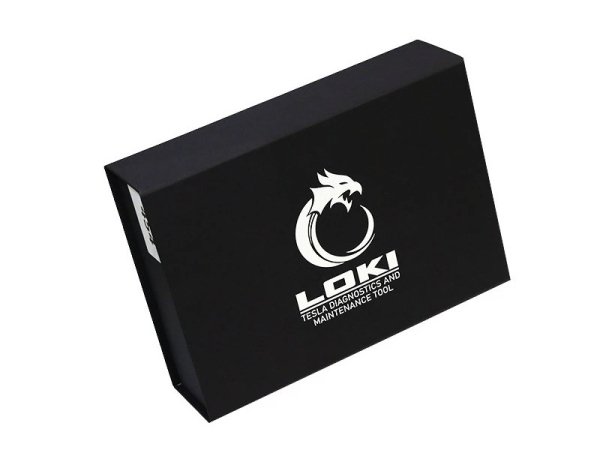
How LOKI changes the vehicle from eSIM to a physical SIM
LOKI allows the technician to change the vehicle’s SIM priority through the supported online-function workflow. Instead of treating the embedded eSIM as the primary connection, the configuration is changed so the external physical SIM slot becomes active.
After the change is completed, the technician installs a compatible local SIM card in the physical slot and checks whether the vehicle can connect correctly to the selected mobile network.
The official LOKI procedure specifies a full-size SIM card rather than a micro-SIM or nano-SIM. Hardware and software compatibility must be confirmed for the exact vehicle.
Typical professional workshop workflow
Identify the vehicle
Confirm model, year, processor generation, MCU type and original market.
Inspect the hardware
Check the LTE modem and confirm whether a physical SIM slot is already installed.
Connect LOKI
Use the correct CAN, LAN or automotive Ethernet connection for the vehicle.
Change SIM priority
Run the supported LOKI function that activates the external SIM slot.
Install and test
Insert the suitable local SIM and verify cellular communication and network stability.
What happens when the physical SIM slot is missing?
Some modem boards have provision for an external SIM slot, but the slot itself is not installed. In this case, a suitable slot may need to be added before the software change can be used.
Installing the external slot is generally more manageable than working directly on the internal eSIM area because the external slot uses larger contacts. It is still an electronic repair procedure and should be completed by a technician with the correct soldering equipment and board-level experience.
LOKI connection options for Tesla vehicles
LOKI can communicate through several vehicle networks. The required cable and connection point depend on the Tesla model, year, processor and work being performed.
| Connection | Main use | Vehicle application | Typical equipment |
|---|---|---|---|
| CAN | Diagnostics, live data, calibrations and supported crash-event procedures | Model S, 3, X and Y | LC001-CS for earlier S/X; LC003-CX for later applications and supported 3/Y access points |
| LAN | MCU communication, configuration work, service modes and software-related procedures | Model S/X and Model 3/Y | LC002-LS for S/X; Ethernet-to-Ethernet for 3/Y |
| 100BASE-T1 | Two-wire automotive Ethernet communication with supported MCU systems | Mainly Model 3/Y | LC004-L3 or LC007-LY, depending on Autopilot and MCU generation |
| 1000BASE-T1 | High-speed automotive Ethernet communication | Commonly associated with newer premium platforms such as Palladium and Plaid | Suitable media converter and supported connection equipment |
Cable selection and connector location must be verified for the exact vehicle before connection.
Information to confirm before accepting the job
Before quoting a Tesla eSIM-to-SIM conversion, the workshop should collect enough vehicle information to confirm the correct connection method and required hardware.
Professional-use notice
This procedure involves vehicle communication, MCU-related configuration and, in some cases, board-level electronic work. It should be performed by trained technicians using the correct LOKI connection equipment. Always protect the vehicle’s low-voltage supply, back up available configuration information and verify compatibility before making changes.
Frequently asked questions
Why would a Tesla need a physical SIM card?
A physical local SIM may provide a more suitable cellular connection when the vehicle’s original eSIM is linked to another country, roaming arrangement or unsupported mobile network.
Does LOKI physically replace the embedded eSIM?
The LOKI workflow changes the supported vehicle configuration so the external physical SIM slot becomes the preferred connection. It does not require removing the embedded eSIM chip during the normal software procedure.
What type of SIM card is required?
The official LOKI procedure specifies a full-size SIM card. The correct local network, tariff and data service should be confirmed before installation.
Is a physical SIM slot available in every Tesla?
No. Some vehicles have a physical slot already installed, while others only have the board provision and require the slot to be fitted by an experienced electronics technician.
Can the same LOKI cable be used on every Tesla model?
No. Cable and connector selection depends on the model, production year, processor, MCU generation and network interface required for the procedure.
Is this procedure suitable for vehicle owners to perform themselves?
It is intended for professional workshops and experienced Tesla technicians. Incorrect communication or board-level work can damage the modem, MCU or vehicle configuration.
Need the correct LOKI setup for a Tesla connectivity job?
Send Automax Tools the Tesla model, year, VIN, processor generation and photos of the modem or connection point. Our team can help confirm the required scanner package and cables for workshops in the UAE and GCC.


No Comments