

Autel Main Cable V2.0 | OBD-II/EOBD Diagnostic Cable for MaxiFlash VCI VCMI JVCI+ | MS909 MS919 Ultra

Autel Main Cable V2.0 for Supported MaxiFlash Interfaces
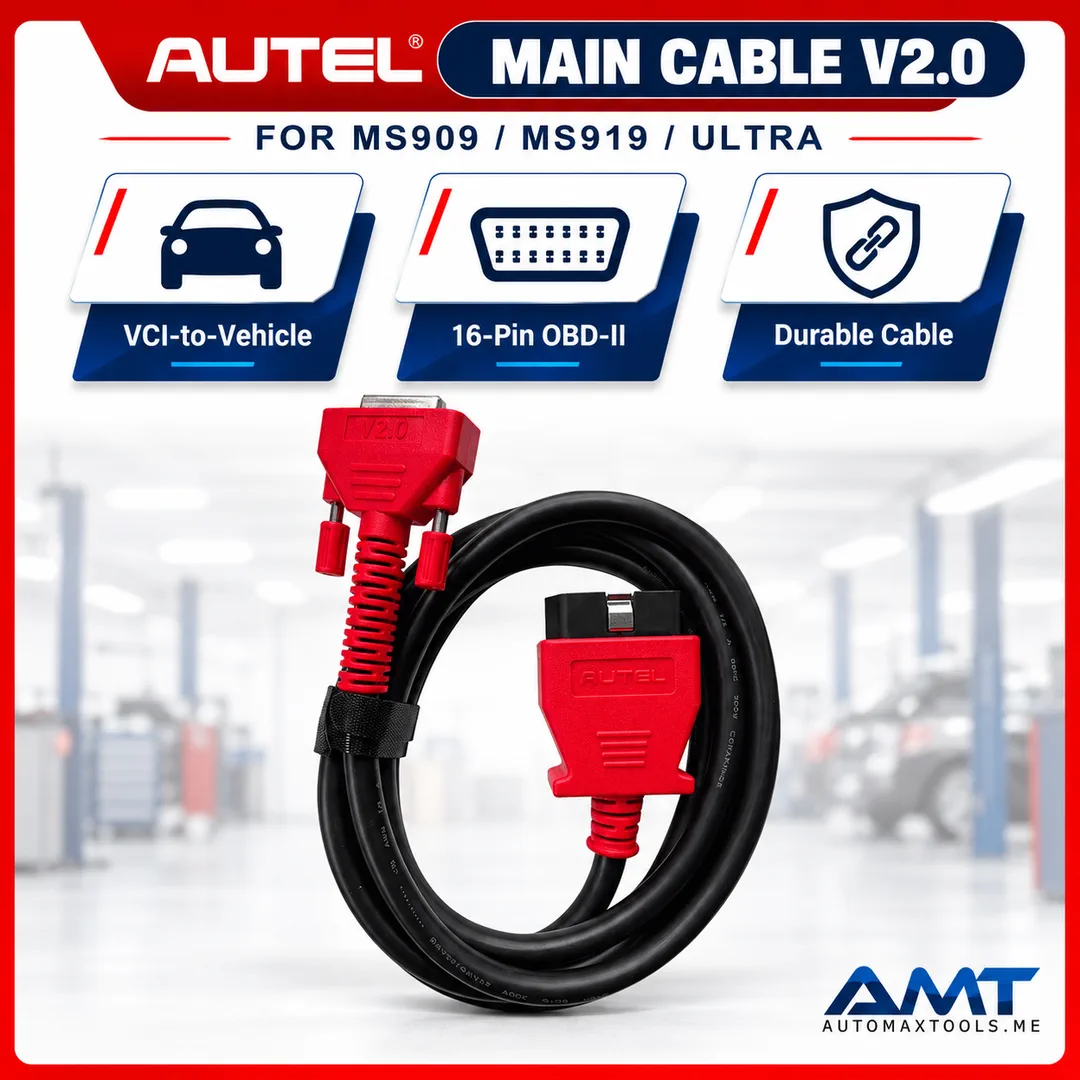
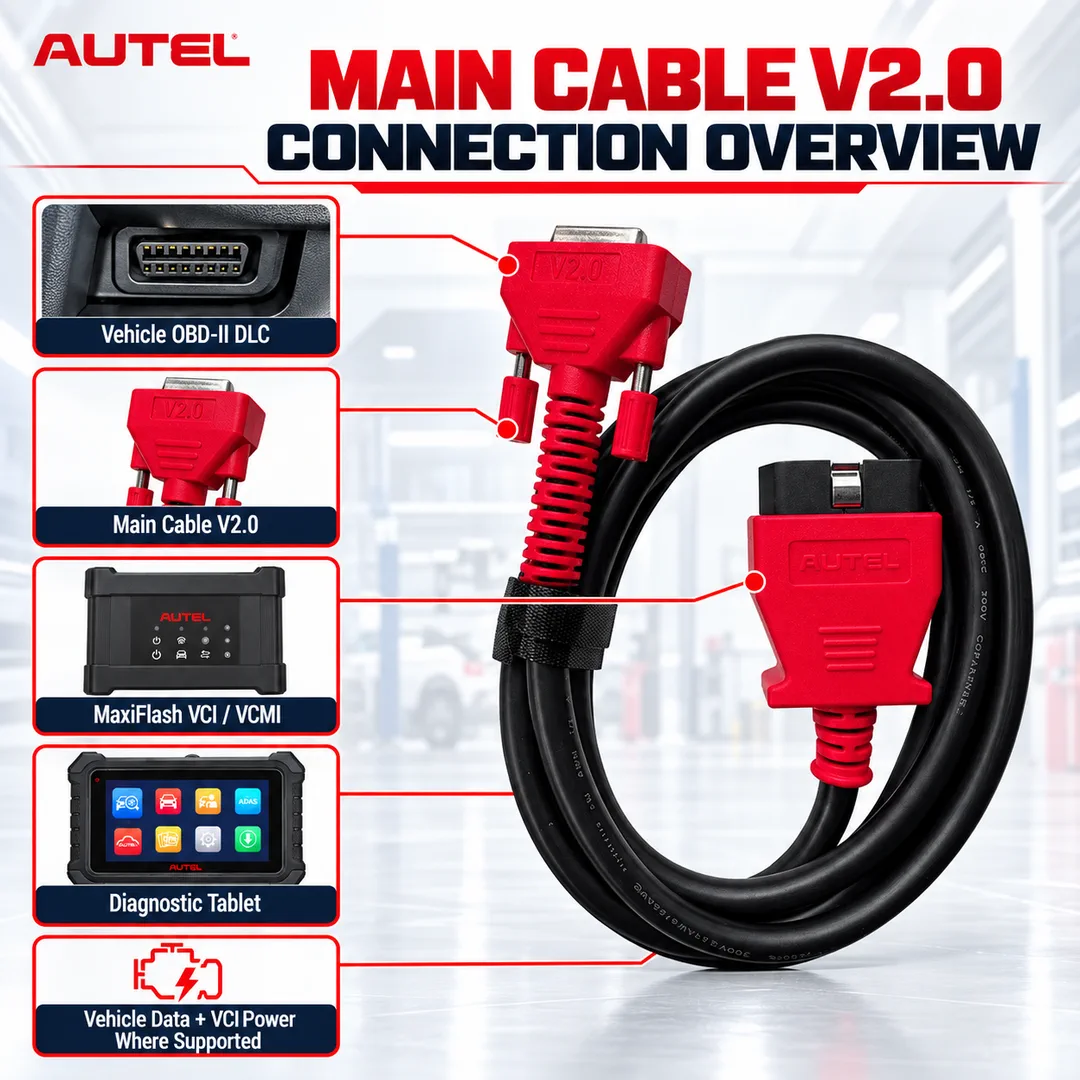
The Autel Main Cable V2.0 connects a supported MaxiFlash VCI, VCMI or JVCI+ interface to an OBD-II/EOBD vehicle data link connector. It carries vehicle power and communication data between the vehicle interface and compatible Autel diagnostic platforms.
Technical Specifications
| Specification | Details |
|---|---|
| Product | Autel Main Cable V2.0 |
| Cable Length | Approximately 1.5m |
| Vehicle Side | 16-pin OBD-II/EOBD connector |
| Interface Side | Autel V2.0 locking connector |
| Primary Role | Power and vehicle-data connection for supported MaxiFlash interfaces |
| Common Platforms | MaxiSYS Ultra, MS919 and MS909 configurations using the specified MaxiFlash interface |
Compatibility note: Autel manuals specify Main Cable V2.0 for particular MaxiFlash VCI, VCMI and JVCI+ interfaces. Do not substitute another Autel main cable. Confirm the interface model supplied with your Ultra, MS919, MS909 or related tablet before ordering.
Autel Main Cable V2.0 – Vehicle DLC Connection for Advanced MaxiSYS Platforms
The Autel Main Cable V2.0 connects a supported MaxiFlash VCI, VCMI or JVCI+ interface to an OBD-II/EOBD vehicle data link connector. It carries vehicle power and communication data between the vehicle interface and compatible Autel diagnostic platforms.
Key Benefits
- Purpose-built V2.0 cable for supported Autel MaxiFlash diagnostic interfaces.
- Transfers vehicle data and supplies interface power through the vehicle DLC.
- Locking interface connector helps maintain a secure workshop connection.
- Suitable as a replacement for a damaged or missing original Main Cable V2.0.
Professional Application
Connect the 16-pin end to the vehicle DLC and the marked V2.0 connector to the compatible MaxiFlash interface. Start the Autel tablet only after confirming the cable is seated and the interface is powered.
Recommended Workflow
- Confirm that the diagnostic interface requires the Autel Main Cable V2.0.
- Inspect the cable and connector pins before use.
- Connect the interface side first, then connect to the vehicle DLC.
- Verify VCI/VCMI communication in the tablet before running diagnostic or programming functions.
Compatibility and Ordering Guidance
Autel manuals specify Main Cable V2.0 for particular MaxiFlash VCI, VCMI and JVCI+ interfaces. Do not substitute another Autel main cable. Confirm the interface model supplied with your Ultra, MS919, MS909 or related tablet before ordering.
Package Contents
- 1 × Autel Main Cable V2.0
Shipping Information
Approximate packed shipping weight: 0.65 kg. Approximate packed dimensions: 30 × 22 × 7 cm (L × W × H). Packaging may vary slightly by production batch.
For model, vehicle and software compatibility confirmation before purchase, contact Automax Tools with the vehicle VIN and the exact Autel tablet or programmer model.
| Weight | 0.65 kg |
|---|---|
| Dimensions | 30 × 22 × 7 cm |
more products
More Products
JTC Large Ball Joint Seperator
AED 138.05JLR PLUTO Premium Full Package – Jaguar Land Rover Diagnostics, ECU Programming & Key Learning
AED 16,259.99AED 17,000.003 POINTS ENGINE SUPPORT JTC
AED 971.80BELT TYPE OIL FILTER WRENCH
AED 41.81TESLA MODEL Y LIFT PAD ADAPTERS 1PC
AED 115.884 Pcs Fluid Line Clamper Set-JTC
AED 67.80







0.0 Average Rating Rated (0 Reviews)